Connect Emma to your AI assistant
Get answers from the AI assistant you already use, based on your real accounts, spending and savings. Available now in Claude, with ChatGPT coming soon.
Get started

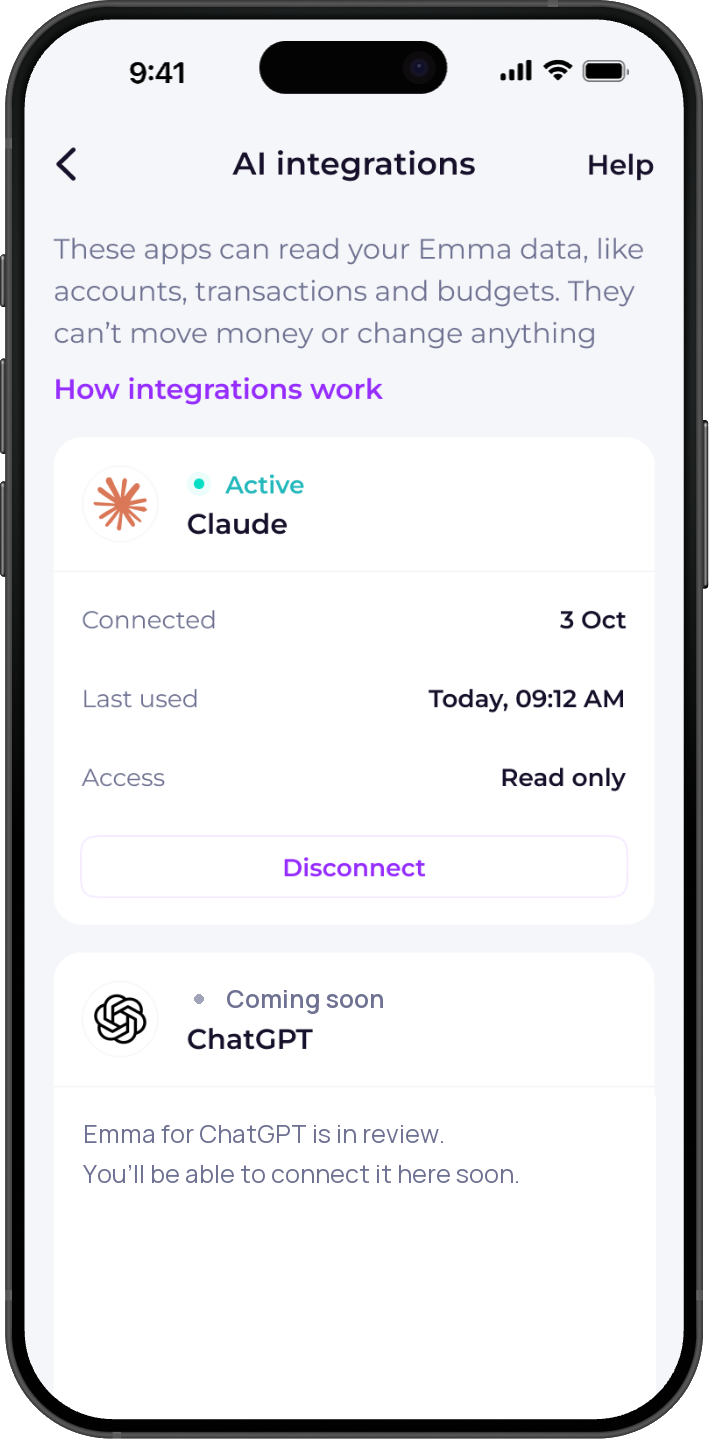
How to connect

1. Add Emma to Claude
Open the Emma connector in Claude with the button below and select Connect. You'll be taken to Emma to log in. ChatGPT is coming soon.

2. Log in and allow access
Log in with your Emma account, check what your AI assistant will be able to see and select Allow access. Then start asking questions.
Ask about your money in your own words
Ask things like “How much did I spend on eating out last month?”, “What subscriptions am I paying for?” or “Am I over budget this month?” Your AI assistant answers using your Emma data.

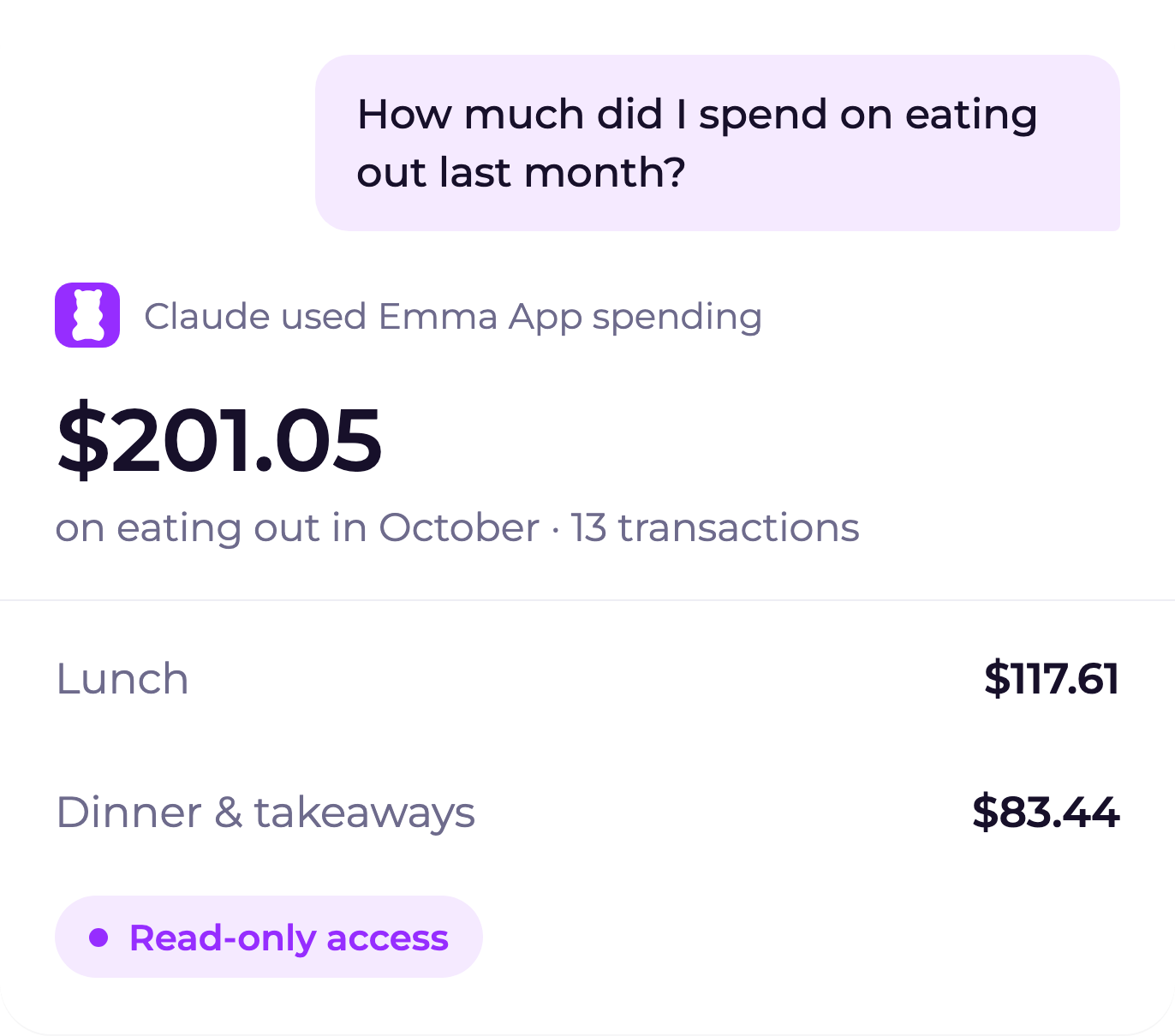
Read-only, so you stay in control
Your AI assistant can see your data but can't move money, make payments or change anything. Emma leaves out account-number and routing-number fields and masks recognised sensitive numbers in transaction text. Some masked numbers retain their last four digits. You can disconnect at any time in Settings.

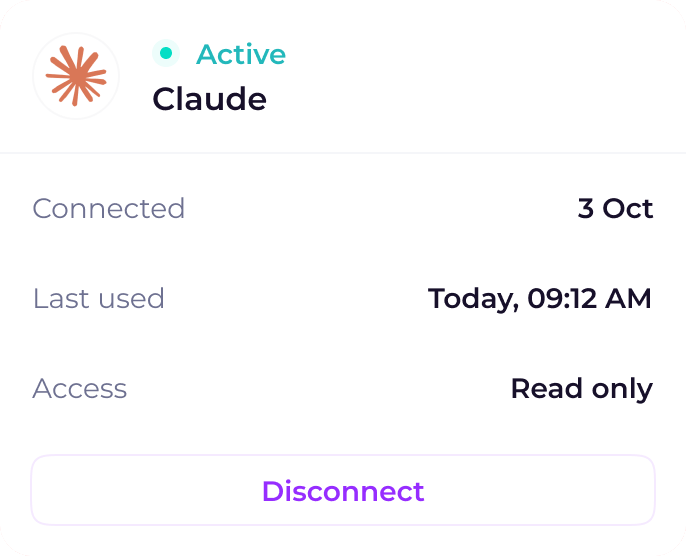
Set up AI integrations
How to connect Emma to Claude, and how AI integrations work.


Frequently asked questions
AI integrations let you connect Emma to AI assistants. You can then ask questions about your money and get answers based on your Emma data. Claude is available now, and ChatGPT is coming soon.
AI integrations are included with Emma Plus, Pro and Ultimate, including free trials. If you're on Emma Basic, you'll be asked to upgrade when you try to connect.
No. Access is read-only. Your AI assistant can see your data but can't move money, make payments or change anything in your Emma account.
Once you allow access, your AI assistant can read your Emma data when you ask it something, such as your accounts, transactions, budgets, subscriptions, savings and investments. Transaction names, descriptions and notes are shared with recognised sensitive numbers masked. Some masked numbers retain their last four digits. Account-number and routing-number fields are not shared. You'll see the types of data being shared before you connect.
In the Emma app, go to Settings, then AI integrations, and select Disconnect. Your AI assistant loses access straight away.
Emma only shares data with your AI assistant when you ask it a question. How Claude or ChatGPT uses your conversations, including for model training, is set by their privacy settings, and you can turn model training off in each app's settings.


Over 3 million downloads
We are on a mission to improve everyone's financial wellbeing.


