
FEATURED ARTICLE
How do I open a personal account with Starling UK?

Antonio Marino
August 1, 2023 •1 min read
TABLE OF CONTENTS
1. Download the Starling App
2. Soft Credit Check
3. Gather Required Documents
Get Going
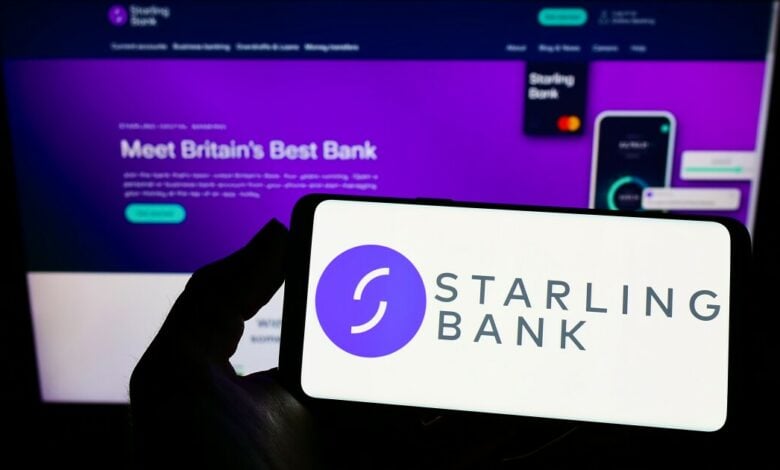
Starling provides a convenient and modern experience of banking. To open a personal account with Starling it takes just a few easy steps on your phone and you'll be on your way.
1. Download the Starling App
The first thing you'll need to do is download the Starling app from the App Store or Play Store. Once installed, you will be walked through their initial application process - this is the best way to get started.
Alternatively, you can head to the starlingbank.com to start your application there if you prefer.
2. Soft Credit Check
When you apply for a personal account, Starling performs a soft credit check which is simply a request for information from credit bureaus which won't be visible to other financial companies nor will it affect your credit score!
3. Gather Required Documents
Next, you'll need to provide specific personal documents. For identification purposes, Starling accepts:
- A valid passport
- EU/EEA ID card
- UK residence permit
- UK photocard driving licence (full or provisional).
You'll be asked to take a video selfie along with the photo ID, which speeds up the process and ensures the security of your new account.
You may need to submit a document that proves your address. Accepted address documents include:
- Personal UK bank or building society statement
- Credit card statement
- Mortgage statement
- Utility bill
- Council tax bill
- UK government letter
- Tenancy agreement from a recognised entity
When submitting your documents, ensure they clearly show all four corners of the document or they may request additional documents. Once verified, you'll receive a notification to proceed.
Get Going
Now you'll be given your account details with Starling, and it'll be ready for you to deposit money and start personalising your experience.
By connecting your Starling account to Emma, you'll see real-time insights into your habits, set and track budgets easily and explore smart ways to save money.
Emma's intuitive categorisation of transactions will enable you to understand your finances better and empower your decisions.
You may also like
Check out these related blog posts for more tips





Join 3 million happy customers
We are on a misssion to improve everyone's financial wellbeing.




© 2026 Emma Technologies Ltd. All Rights Reserved.
Emma is registered and incorporated in England and Wales.
Emma Technologies Ltd (Company Registration Number 10578464). Registered office: Verse Building, 1st Floor, 18 Brunswick Place, London, N1 6DZ, United Kingdom.
Emma Technologies Ltd is registered with the Financial Conduct Authority under the Payment Services Regulations 2017 (FRN 794952). Emma Technologies Ltd is authorised and regulated by the Financial Conduct Authority (FRN 1042167) for investment services and consumer credit activities, including credit broking and credit information services. Emma Technologies Ltd acts as a credit broker, not a lender, and may receive a commission from lenders for introducing you to them.
Payment and e-money services (Non MIFID related products) are provided by The Currency Cloud Limited. Registered in England No. 06323311. Registered Office: 1 Sheldon Square, London, W2 6TT, United Kingdom. The Currency Cloud Limited is authorised by the Financial Conduct Authority under the Electronic Money Regulations 2011 for the issuing of electronic money (FRN: 900199).
Data Protection Registration Number: ZA241546.
All testimonials, reviews, opinions or case studies presented on our website may not be indicative of all customers. Results may vary and customers agree to proceed at their own risk.
Resources: Cancel subscriptions, Cashback offers, Who charged me, Rent Reporting, Budgeting, Investment universe, Emma vs Moneyhub.
Featured cashback offers: Samsung, SimplyCook, NordVPN, Audible, M&S Homeware.