Get the Emma app
Take control of your subscriptions
The Emma app finds and tracks all your recurring payments in one place. Over 3 million downloads.


How to cancel NOW
To cancel NOW TV, log in to your NOW TV account, click My Account, open Passes & Vouchers and click Cancel Pass next to the pass you want to end. Choose a reason, then click I Still Want to Cancel. You can also cancel through the NOW help centre or by phone, as set out below.
- Log in to your NOW TV account
- Click the 'My Account' button on the top right-hand corner.
- Go to the 'Passes & Vouchers' section in the drop-down menu.
- Click on 'Cancel Pass' next to the pass you want to cancel.
- Select a reason why you want to cancel.
- Click 'I Still Want to Cancel'.
To cancel online, go to https://help.nowtv.com/article/how-do-i-cancel-now-tv
To cancel over the phone, call: 0800500212
Email [email protected] and ask them to cancel your account.

Want to get more clarity out of your bank accounts?
Download Emma to see all your money in one place and always know what you are paying for.


Whether you're looking for information on how to delete your NOW account, unsubscribe or cancel a free trial, Emma can help.
Check out the instructions above to cancel your NOW membership. You can also browse our directory for pages on how to cancel other popular subscription services.
Emma is a money management app that connects to all your bank accounts to help you track paid subscriptions and bank fees, set budgets payday to payday and categorise your expenses to identify areas for improvement in your finances.
Take back control of your money. Download Emma to build your credit, save more and spend less with the all-in-one financial membership.
Frequently asked questions
- How do I cancel my NOW TV subscription?
- Log in to your NOW TV account and click the My Account button in the top right-hand corner. Go to Passes & Vouchers in the drop-down menu, then click Cancel Pass next to the pass you want to cancel. Select a reason for cancelling and click I Still Want to Cancel.
- Can I cancel NOW TV online?
- Yes. The page points to the NOW help article at https://help.nowtv.com/article/how-do-i-cancel-now-tv for cancelling online. You can also follow the account steps: My Account, then Passes & Vouchers, then Cancel Pass.
- Can I cancel NOW TV over the phone?
- Yes. The page gives 0800500212 as the number to call to cancel over the phone.
- Which pass do I cancel in my NOW TV account?
- Cancellation is done pass by pass. In the Passes & Vouchers section, click Cancel Pass next to the specific pass you want to cancel.
- How will NOW TV appear on my bank statement?
- Entries can appear as NOW TV, NOWTV.COM/BILLINGHELP or SKY, sometimes with extra text such as GB, GBR or LONDON. The page lists many variations, so look for these names when checking for NOW payments.
- Which company is behind NOW?
- The page lists the legal name for NOW as Sky plc and the website as nowtv.com. It does not give a phone number or address for the company beyond the cancellation phone number shown in the instructions.
NOW may show up on your statement as:
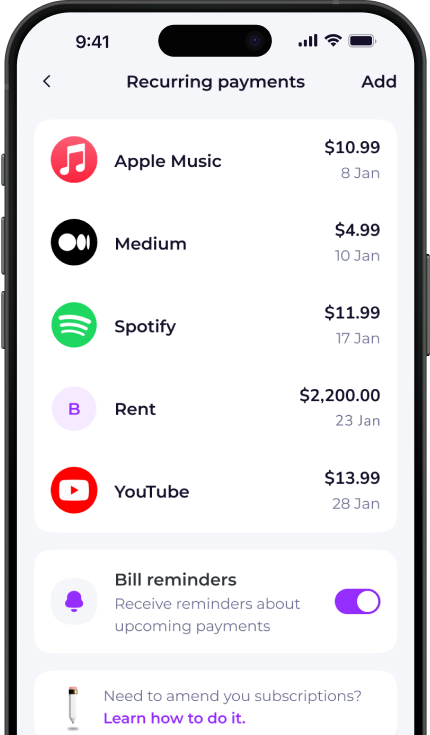
See all your recurring payments in the Emma app
How to redeem
Download the app
Get Emma for free
Connect all your bank accounts
It only takes a few clicks!
Click "see all" under recurring payments
The new page will open
View and edit details
You can see & edit payment history and predictions
Scan this QR code to download Emma.
Over 3 million downloads.


