FEATURED ARTICLE
Unlock Your Financial Data: Introducing Live Export and CSV Upload

Giuliano Fabbri
September 24, 2025 •2 min read
TABLE OF CONTENTS
Live Export: Sync Your Finances, Your Way
CSV Upload: A Global View of Your Money
Your Data, Your Control
In a world where our financial lives are more complex than ever, getting a clear, holistic view of your money can feel like an impossible task. You might have accounts with international banks, or you might want to sync your data with a personal spreadsheet for advanced analysis.
That's why we're excited to introduce two new features that put you in complete control of your financial data: Live Export to Google Sheets and CSV Upload. These powerful tools give you the flexibility you need to manage your money, no matter how or where it’s held.
Live Export: Sync Your Finances, Your Way
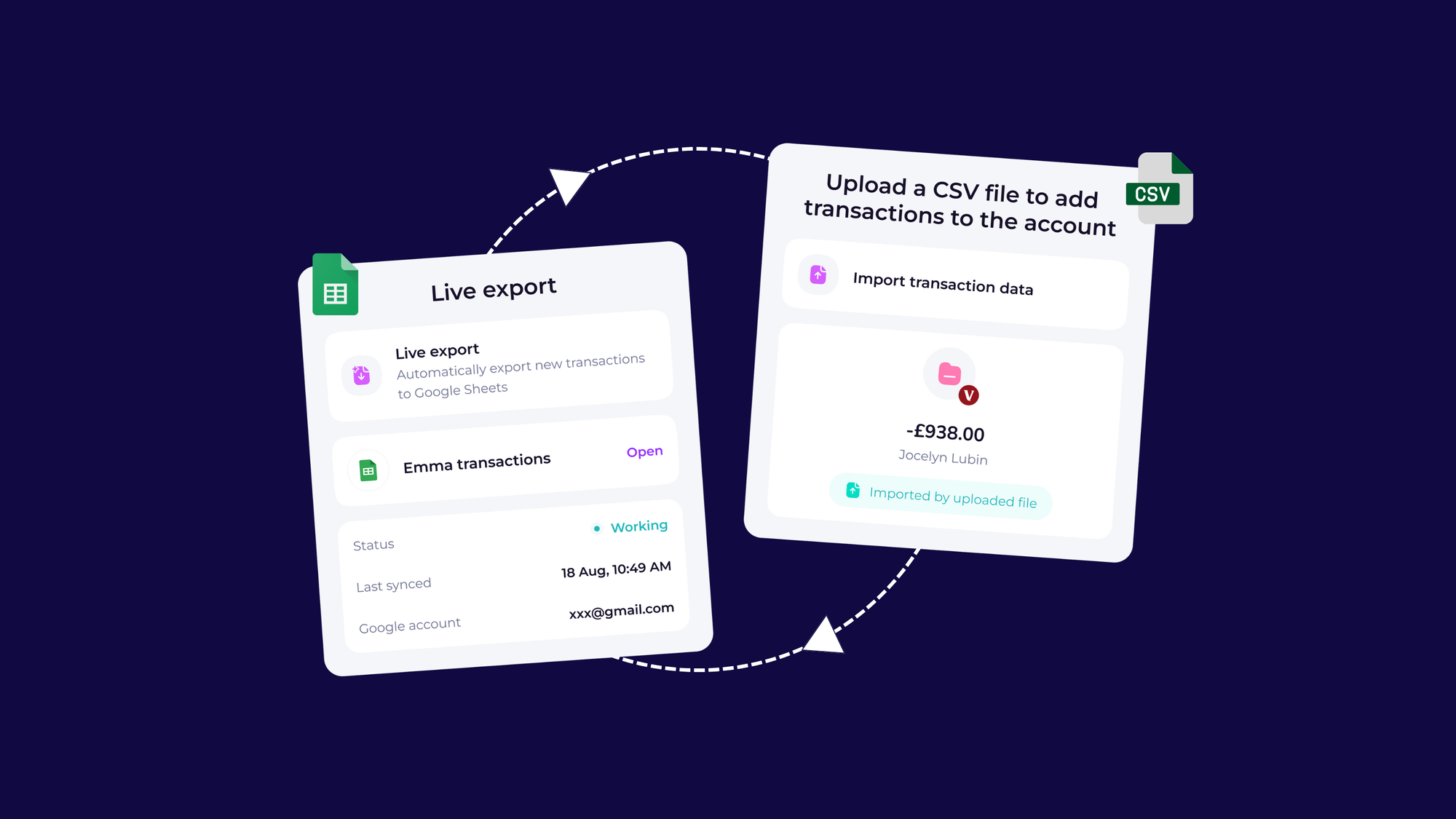
Live Export is designed for the advanced user - the person who wants their data to work as hard as they do. It's a real-time data sync that bridges the gap between Emma and any other financial tool you use.
Imagine all your transactions, balances, and spending categories automatically syncing to a Google Sheet. That's what Live Export does, giving you a single source of truth for all your financial information.
- Custom Reporting: Create your own advanced financial reports, charts, and models using your favourite spreadsheet software.
- Ultimate Flexibility: Live Export breaks you free from the limitations of a single platform, giving you the power to use your data in any way you see fit.
- Advanced Analysis: By syncing your data, you can build custom budgets and forecasts that are tailored to your unique financial goals.
CSV Upload: A Global View of Your Money
While Emma proudly supports over 60 UK banks, we know that many of our users have international accounts or hold money with smaller financial institutions that aren't yet integrated. This used to mean their complete financial picture was incomplete. Not anymore.
With our new CSV Upload feature, you can now upload a bank statement directly from any bank that we don't currently support. Simply export the CSV file from your bank's website and import it into an offline account in Emma.
- International Accounts: This feature is perfect for users with non-UK bank accounts. Now, you can include all your international transactions in your Emma feed, giving you a truly global view of your money.
- Holistic Financial Picture: No more missing pieces. All your transactions, from every account, can now be in one place, giving you the clarity and control you need to budget effectively.
- Fill in the Gaps: For those with niche credit cards or other financial assets that are not yet natively supported, CSV Upload is the solution to ensure your financial data is always complete.
Your Data, Your Control
The combination of Live Export and CSV Upload represents a significant leap in financial control and flexibility. They are more than just new features; they are a testament to our commitment to empowering you, the user, with the tools you need to master your money.
By using these new features, you can break down the barriers of a single banking app and build a truly comprehensive, custom-made view of your financial life.
Your money, your way.
Ready to take control of your financial data? Log in to the app to start using Live Export and CSV Upload today.
You may also like
Check out these related blog posts for more tips



Over 3 million downloads
We are on a mission to improve everyone's financial wellbeing.